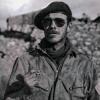
November 7, 20187 yr #1 https://www.amazon.com/French-GI-Omaha-Beach/dp/1526730456 A French GI at Omaha Beach Bernard Dargols was a young Parisian student working in New York when war broke out in 1939. While his family remained in France and was threatened by the Vichy regime's anti-Semitic laws, Bernard decided to enlist in the US Army, convinced that it would be more useful to fight the occupying forces. Following his long military training, Bernard became a GI in the Military Intelligence Service, 2nd US Infantry Division, and landed on the infamous Omaha Beach in June 1944. He took part in the liberation of Normandy, Brittany and the Ardennes, before becoming a member of the CIC, the American counter-espionage service, and was finally demobilised in 1946. This extraordinary story of the 'GI from the Place des Vosges', is told here by his granddaughter, Caroline Jolivet. About the Author Intrigued at a young age by her heritage and family history, Caroline Jolivet has always been fascinated by her grandfather, Bernard Dargols' involvement in the US military and his participation in the landing at OmahaBeach. Following a trip to New York in 2005 in the footsteps of her grandparents, she began to research and write down her grandfather's memories, which he had kept hidden for so long.





Create an account or sign in to comment