Skip to content
View in the app

A better way to browse. Learn more.

World Militaria Forum

A full-screen app on your home screen with push notifications, badges and more.

To install this app on iOS and iPadOS
  1. Tap the Share icon in Safari
  2. Scroll the menu and tap Add to Home Screen.
  3. Tap Add in the top-right corner.
To install this app on Android
  1. Tap the 3-dot menu (⋮) in the top-right corner of the browser.
  2. Tap Add to Home screen or Install app.
  3. Confirm by tapping Install.

New bridge named after Nantyglo World War One hero

Featured Replies

#1

New bridge named after Nantyglo World War One hero


https://www-bbc-com.cdn.ampproject.org/v/s/www.bbc.com/news/amp/uk-wales-46937665?amp_js_v=a2&_gsa=1#referrer=https%3A%2F%2Fwww.google.com&_tf=From%20%251%24s&share=https%3A%2F%2Fwww.bbc.com%2Fnews%2Fuk-wales-46937665


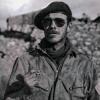
post-185365-0-27942200-1548064189_thumb.jpg


A London Gazette article in December 1918 described John Henry Williams as having "conspicuous bravery, initiative and devotion to duty"


A World War One soldier who was awarded the Victoria Cross has had a bridge near his hometown named after him.

#2

Wow! Now there is a hero in every sense of the term. The man must have never known what fear was.


-Ski

  • 2 weeks later...
#3

VC, DCM, MM & Bar. Amazing !


Wharf

Create an account or sign in to comment

Account

Navigation

Search

Search

Configure browser push notifications

Chrome (Android)
  1. Tap the lock icon next to the address bar.
  2. Tap Permissions → Notifications.
  3. Adjust your preference.
Chrome (Desktop)
  1. Click the padlock icon in the address bar.
  2. Select Site settings.
  3. Find Notifications and adjust your preference.