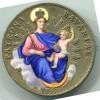
February 20, 20197 yr #1 Swiss Franco Prussian War Medals Officially Switzerland does not have any war medals. The Swiss had a policy of neutrality since before the Napoleonic Wars when they were invaded and occupied by French and Russian armies. After that lesson the Swiss developed a policy of armed neutrality. They would fight any invader to the death. Their goal was not the unrealistic hope that they would win a defensive war but rather to make any invasion of Swiss territory too costly for a potential invader to even consider an invasion as an option. This policy was tested three times and led to the creation of some very interesting semi-official medals. During the Franco-Prussian War 1870-71, the Swiss mobilized their army and manned their borders like a fortress. Both the French and Germans would have liked to use Swiss territory as a short cut to attack each other but they did not dare it. Eventually as the French were losing whole French divisions decided to cross the border and surrender to the Swiss. The French figured that they would receive better treatment and they would turn over all their weapons to the Swiss thereby keeping them from falling into German hands. The bronze medal illustrated here commemorates that event even though it is not an active duty service medal. There is also a “silver” version but I have yet to see one that is not just silver plated bronze.





Create an account or sign in to comment