April 17, 20197 yr #2 Oh, real ivory? Cool! I still have a piano with real Ivory keys. Real ivories are so different than the new plastic keys. I like ivories. Pros and cons to both. The con to ivory is that the edges are sharper and sometimes you can hurt a finger on the edge if you do certain rolls, etc. However, your hands don't sweat on ivory keys like they do on plastic. There are also ivory and bone crochet hooks, and you can tell the difference by the specks and lines in the ivory v. the bone. I never thought of ivory handles for swords. Really cool! Thanks for sharing!
April 18, 20197 yr #3 There was an old expression of "having seen the elephant" that was prevalent during the US Civil War. It meant that someone had seen "everything" and was a battle hardened veteran instead of a new recruit or paper pusher. Seeing ivory grips on a US CW sword meant that the bearer had "seen the elephant" and been in battle. I don't know if this expression was also known in Germany but perhaps this Imperial Marine Officer was of the same stripe. Neat dagger.
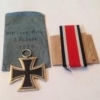
April 21, 20197 yr Author #4 Here is another Navy! Sarge They also were allowed to pay for extra's if you had money! PVON





Create an account or sign in to comment