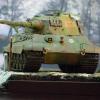
July 14, 20197 yr #1 OK, this will be my first post topic on this forum. Coincidentally Lars I made this model for a group build, so I didn't know you were in the process of making the Stug III/F with the same theme. This kit is an old 1973 Tamiya remote controlled kit. Unlike Lars' Dragon kit, I had to add certain things to make it look half as good as his. I added Riich Ostketten Tracks, (I couldn't find Winterketten), an Aber 75mm aluminum barrel, Alpine figures (they are great), a resin MG 34, I also added the Jerry cans and rack and I scratchbuilt the intake grill and tow cable. That old kit had potential but it lacked a lot. I hope you all like it and as always all comments and critiques are greatly appreciated. Semper Fi. Manny
July 14, 20197 yr #3 Manny, glad you found this forum too. Great build! That old Tamiya kit never looked better. I know, as I built several of them and they never turned out like this! LOL Hope you’ll be posting more of your non-US builds. Terry
July 14, 20197 yr #4 Great StuG Manny, and welcome to the WMF modeling section! You got the maximum out of the old Tamiya kit, well done!





Create an account or sign in to comment