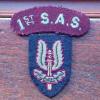
November 11, 20205 yr #1 Armored Car... SAS... Selous Scout... I had received these from a former RLI member. The SAS may be more generic to all SAS units. Correct me if Armored Car is not the right designation
November 11, 20205 yr #2 How’s it Jack yes Rhodesian Armoured Car Regt. Known as Armoured Cars, the S.A.S. Belt looks U.K made so it’s properly early issue or worn by an ex Brit,Kiwi or Aussie in Rhodesia. The Rhodie made belt has a round wire type of slider and adjusts on the opposite side as per your Scouts belt. cheers Tony
November 11, 20205 yr Author #3 Thanks for the information. I need to look at the belts closer for any maker marks
May 16, 20224 yr #4 On 11/11/2020 at 11:33 PM, irish said: Armored Car... SAS... Selous Scout... I had received these from a former RLI member. The SAS may be more generic to all SAS units. Correct me if Armored Car is not the right designation The SAS stable belt is not Rhodesian. Wrong buckle and wrong colour blue. There were two issues of the RhSAS stable belt, one in the 60's and one probably in the 70's. The buckle was the same but the canvas belting was finer on the later issue. There were two issues (sort of) of the Selous Scouts stable belt. The belting was the same and so were the buckles but the 2nd issue was stamped by Reuteler. The stamping could be on the top of the reverse of the buckle or the bottom.





Create an account or sign in to comment