Skip to content
View in the app

A better way to browse. Learn more.

World Militaria Forum

A full-screen app on your home screen with push notifications, badges and more.

To install this app on iOS and iPadOS
  1. Tap the Share icon in Safari
  2. Scroll the menu and tap Add to Home Screen.
  3. Tap Add in the top-right corner.
To install this app on Android
  1. Tap the 3-dot menu (⋮) in the top-right corner of the browser.
  2. Tap Add to Home screen or Install app.
  3. Confirm by tapping Install.

American Volunteer In The RFC Grouping

Featured Replies

#1

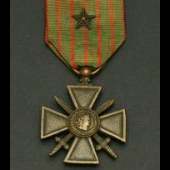
This is a sample of a grouping I own identified to an American named George F Thomson who served with 74 Squadron. The cuff-rank tunic was the uniform he was wearing when he was shot down and captured June 12, 1918. 

DSC_7465.JPG

#2

Beautiful! Another great example from your amazing collection.

#3

An outstanding grouping.  I love identified uniforms like these.  

  • Author
#4
12 hours ago, Dirk said:

Beautiful! Another great example from your amazing collection.

Thanks!  And your Clint Howard Star Trek icon is killer!  

  • Author
#5
9 hours ago, SARGE said:

An outstanding grouping.  I love identified uniforms like these.  

Thank you.  I posted it extensively over on the US Forum and have written a book about Thomson that has not yet been published. Lots of cool stuff with this group and a cool story to boot.  

#6

An absolutely incredible grouping!  Wow!


-Ski

  • Author
#7

1F812AC8-AA90-4E9F-99EC-4ACF73C8FA17.jpeg

48CD129C-FEEB-4A71-8289-8E39932CBD6F.jpeg

2C379EBD-790A-48FF-A449-2D05AD07D147.jpeg

09670282-E297-4C10-8BF0-BF61D5D36AA1.jpeg

D259B76C-B7D6-4EE8-AF4E-0A91F3400089.jpeg

ACF0AAD9-F7C1-43DD-9761-C868A619CEB0.jpeg

D66A70D8-8427-4BC2-8BF9-0216B5079C74.jpeg

  • Author
#8

DSC_7512.JPG

DSC_7556.JPG

DSC_7606.JPG

#10

Wonderful stuff!

  • Author
#11
On 6/6/2021 at 11:53 AM, cwnorma said:

Wonderful stuff!

You've seen it all before Chris!  I'm looking for wings and other shiny goodies to tempt you with!

Create an account or sign in to comment

Account

Navigation

Search

Search

Configure browser push notifications

Chrome (Android)
  1. Tap the lock icon next to the address bar.
  2. Tap Permissions → Notifications.
  3. Adjust your preference.
Chrome (Desktop)
  1. Click the padlock icon in the address bar.
  2. Select Site settings.
  3. Find Notifications and adjust your preference.