Skip to content
View in the app

A better way to browse. Learn more.

World Militaria Forum

A full-screen app on your home screen with push notifications, badges and more.

To install this app on iOS and iPadOS
  1. Tap the Share icon in Safari
  2. Scroll the menu and tap Add to Home Screen.
  3. Tap Add in the top-right corner.
To install this app on Android
  1. Tap the 3-dot menu (⋮) in the top-right corner of the browser.
  2. Tap Add to Home screen or Install app.
  3. Confirm by tapping Install.

1942 Dated Mk II Flashed to the Belgium Brigade Piron

Featured Replies

#1

A helmet I received in trade some time ago from a fellow collector in the Nederland's 1942 dated Brit Mk II which is thought to have been issued to a soldier by the name of Verstuyft whom served with the Belgium Brigade Piron it was purchase from the mans Grandson and was a reported barn find...

It is sporting a hand painted Belgium flag to the side of the helmet body, hand painted flashes were also applied to helmet bodies used by the Belgium Fusiliers from 1944-1947 of further interest is the chinstrap they were thought to have been adopted and used Wartime on home front and or possibly Mk II No. 2's and No 1's....

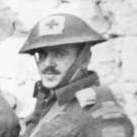
There is period evidence though to support at least a couple examples made it into the theatre of operations and was used by a Canadian Officer of The Royal Winnipeg Rifles in 1944 on his Mk III in France just shortly after D-Day And an image of a British Soldier that was published in the book Overlord by Max Hasting that clearly shows this chinstrap being used in Normandy...


Regards Mark

P1090568.JPG

P1090570.JPG

P1090559.JPG

P1090561.JPG

P1090562.JPG

P1090564.JPG

P1090566.JPG

P1090572.JPG

P1090574.JPG

P1090575.JPG

P1090577.JPG

37388646_1999139636785598_4493200321840939008_n.jpg

37341999_1999152056784356_2389016081692884992_o (1).jpg

Create an account or sign in to comment

Account

Navigation

Search

Search

Configure browser push notifications

Chrome (Android)
  1. Tap the lock icon next to the address bar.
  2. Tap Permissions → Notifications.
  3. Adjust your preference.
Chrome (Desktop)
  1. Click the padlock icon in the address bar.
  2. Select Site settings.
  3. Find Notifications and adjust your preference.