Skip to content
View in the app

A better way to browse. Learn more.

World Militaria Forum

A full-screen app on your home screen with push notifications, badges and more.

To install this app on iOS and iPadOS
  1. Tap the Share icon in Safari
  2. Scroll the menu and tap Add to Home Screen.
  3. Tap Add in the top-right corner.
To install this app on Android
  1. Tap the 3-dot menu (⋮) in the top-right corner of the browser.
  2. Tap Add to Home screen or Install app.
  3. Confirm by tapping Install.

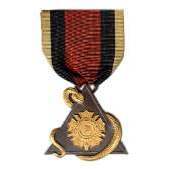
Belgian Congo Service Medal for Natives Type 3

Featured Replies

#1


The Service Medal for Natives was instituted on November 4,1892 by King Leopold II, in his capacity as Sovereign of the independent Congo Free State The medal was initially awarded in a single class for good and loyal services by native Congolese. Recipients could be military, members of the Force Publique or civilians. The Type 8 was awarded for exceptional merit.


There are eight types of this medal, reflecting different sovereigns:

  • Leopold II version 1892-1912
  • Albert I version 1912-1937
  • Leopold III (the young Leopold III, designed by G. Devreese) 1937-1953 (as depicted)
  • Leopold III (the older Leopold III, designed by E. Brackenier and issued concurrently with Type 3) 1937-1953
  • Baudouin with glasses, French language only version, on both obverse and reverse, 1953-1955
  • Baudouin without glasses, French language only on both obverse and reverse, 1953-1955
  • Baudouin without glasses and no legend on the obverse, with a bilingual French and Flemish reverse, 1955-1960
  • Baudouin, identical to the Baudouin third type, but with crown suspension, 1955-1960.

 

PXL_20220425_203756888.jpg.efcb3da0ef1f7a05b9d67cb9687280ca.jpgPXL_20220425_203813928.jpg.a57cac32e93838329e1f8d22de5d8df1.jpgPXL_20220425_203839863.jpg.64de065bf9c572079f3faa1a12aa5d14.jpg

Create an account or sign in to comment

Account

Navigation

Search

Search

Configure browser push notifications

Chrome (Android)
  1. Tap the lock icon next to the address bar.
  2. Tap Permissions → Notifications.
  3. Adjust your preference.
Chrome (Desktop)
  1. Click the padlock icon in the address bar.
  2. Select Site settings.
  3. Find Notifications and adjust your preference.