Skip to content
View in the app

A better way to browse. Learn more.

World Militaria Forum

A full-screen app on your home screen with push notifications, badges and more.

To install this app on iOS and iPadOS
  1. Tap the Share icon in Safari
  2. Scroll the menu and tap Add to Home Screen.
  3. Tap Add in the top-right corner.
To install this app on Android
  1. Tap the 3-dot menu (⋮) in the top-right corner of the browser.
  2. Tap Add to Home screen or Install app.
  3. Confirm by tapping Install.

Singapore Parachute Badges - Jump Wings

Featured Replies

#1

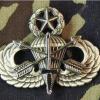
These are Singapore Parachute badges. They have three rating levels: basic, senior and master parachutist. The yellow background is for the parachute instructors and the maroon background is for the Commando Unit (similar to special forces). The older non subdued cloth wings are now reportedly obsolete.

IMG_3061.JPG

#2
On 9/25/2022 at 8:33 AM, triplecanopy said:

These are Singapore Parachute badges. They have three rating levels: basic, senior and master parachutist. The yellow background is for the parachute instructors and the maroon background is for the Commando Unit (similar to special forces). The older non subdued cloth wings are now reportedly obsolete.

IMG_3061.JPG

Great wings.

The white cloth on green drill(padded) were obsolete by 1981, I jumped with the Commandos in 82 -83 and the issue was       1x bullion wing, 1 x anodised metal wing with backing, and 1 black on green wing.

An early style of Singapore wing in white metal these are from about 1974-5, I had to hunt around for this type all over Singapore and found it at a store in Changi air base. It has threaded post and nut fixings on the rear,1C963CB5-E356-4D01-991C-7116D9E93018.jpeg.d2894615987a14d26c8fa14bc6e35c9f.jpeg

FE6EAD65-91D4-4C82-A540-AF7651FB6CEE.jpeg.64a5f8d71d7da5f23a96202edf431c43.jpeg

below is a subdued type from 198952F6B627-D4EE-4630-A811-76DE485922EE.jpeg.fc878c613e4e81727bdad2a2a02bfa35.jpeg

  • 2 weeks later...
#3

D1ABE774-3928-45B4-AE2C-ADDE5A29C6C9.jpeg.33a17d1c0a514c904be5a75d543f957a.jpeg

certificate and issued wings.B2F35FD7-DB60-412D-BBD9-300DC245A518.jpeg.e9e1e23db4ac67c521a215f5b670bdf1.jpeg

Create an account or sign in to comment

Account

Navigation

Search

Search

Configure browser push notifications

Chrome (Android)
  1. Tap the lock icon next to the address bar.
  2. Tap Permissions → Notifications.
  3. Adjust your preference.
Chrome (Desktop)
  1. Click the padlock icon in the address bar.
  2. Select Site settings.
  3. Find Notifications and adjust your preference.