October 3, 20223 yr #1 Here are a few Norwegian Parachute badges in metal, cloth and wire bullion. I believe that the crown and wreath badges are for dress headgear, but I have no further information on them.
October 5, 20223 yr #2 Some good M63 (bullion) and M83 metal parchute badges you have there, they are all obsolete by now. The silver one is for the Army Jeger Cmd and the gold for other parachute qualified personell. The small one is for the Air Force, attached are picturs of the cloth versions. The crowned OV badges are the beret badges for King Olav V used until 1991 when he passed away. The two colours were used by different branches, like gold for combat branches and silver for support branches if I remember correct.
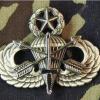
October 5, 20223 yr Author #3 Thank you for the updated information on these badges and insignia. I have a few more Parachute Wings from Norway that I will post later and welcome your comments. Here are the more current Parachute Badges from Norway that I have. If you can update us about them, it would be appreciated. Lastly here are six cloth wings that I have that are from Norway. Two are obviously Instructor ratings and I believe that the ones with stars indicate the number of jumps, likely 100 jumps for each star? Any information is helpful.
October 6, 20223 yr #4 I’m no expert on these wings, but I’ll do my best to dig up some information. Top one looks like the badge of the Kystjeger Kommandoen https://en.m.wikipedia.org/wiki/Kystjegerkommandoen The parachute wings are probably from 2007, static and freefall. There is also one for high altitude/ oxygen with a wreath around the star. I think the six wings are not military issued, but need to find some more information about them.If I remember correctl a military sports club with members from the airborne force
October 6, 20223 yr Author #5 Thank you for that information. I understand that the newer wings also come in silver metal. I will be on the lookout for them and also the high altitude wings with the wreath and star. There seems to always be something new to learn in collecting. The Kystjeger Kommandoen or Norway Ranger badge is one of my favorites. Thanks again...
October 6, 20223 yr #6 Try this page with one of the largest collections in Norway. Language is a mix of Norwegian and English, but you should be able to navigate around it pretty easy: http://www.patcher.no/
October 9, 20223 yr #7 On 10/6/2022 at 1:44 PM, NorBn said: Try this page with one of the largest collections in Norway. Language is a mix of Norwegian and English, but you should be able to navigate around it pretty easy: http://www.patcher.no/ That's a fun link... Surprised he doesn't have any of the Cold Response patches in his collection
August 4, 20232 yr #8 On 10/9/2022 at 3:47 AM, Brig said: That's a fun link... Surprised he doesn't have any of the Cold Response patches in his collection If you check under International Operations/ Excersises and Deployments you will find some CR patches (including the different Special Operations Kitchen Group patches)





Create an account or sign in to comment