Skip to content
View in the app

A better way to browse. Learn more.

World Militaria Forum

A full-screen app on your home screen with push notifications, badges and more.

To install this app on iOS and iPadOS
  1. Tap the Share icon in Safari
  2. Scroll the menu and tap Add to Home Screen.
  3. Tap Add in the top-right corner.
To install this app on Android
  1. Tap the 3-dot menu (⋮) in the top-right corner of the browser.
  2. Tap Add to Home screen or Install app.
  3. Confirm by tapping Install.

Order of the Two Rivers Wisam Al Rafidain

Featured Replies

#1

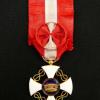
These are also in the Displays thread but thought I’d solicit any in other collections as well. It’s such a fascinating and storied order 


CE69F09A-EEB0-4858-90CB-10EA6DE1A026.jpeg

A37C3615-8C2C-45D8-816D-C06320F4F159.jpeg

61DD3F8C-0BCC-443F-9334-D5B2084B67B1.jpeg

6D3AB4B3-89A6-45AE-A77A-12AAFA03224B.jpeg

930F68FA-1B72-41CB-BD60-57CD2134593E.jpeg

3BE9A181-DA75-445A-930C-DFB35107E140.jpeg

Create an account or sign in to comment

Account

Navigation

Search

Search

Configure browser push notifications

Chrome (Android)
  1. Tap the lock icon next to the address bar.
  2. Tap Permissions → Notifications.
  3. Adjust your preference.
Chrome (Desktop)
  1. Click the padlock icon in the address bar.
  2. Select Site settings.
  3. Find Notifications and adjust your preference.