Skip to content
View in the app

A better way to browse. Learn more.

World Militaria Forum

A full-screen app on your home screen with push notifications, badges and more.

To install this app on iOS and iPadOS
  1. Tap the Share icon in Safari
  2. Scroll the menu and tap Add to Home Screen.
  3. Tap Add in the top-right corner.
To install this app on Android
  1. Tap the 3-dot menu (⋮) in the top-right corner of the browser.
  2. Tap Add to Home screen or Install app.
  3. Confirm by tapping Install.

United Nations Pilot Grouping

Featured Replies

#1

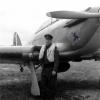
Recently acquired this grouping to a US United Nations Pilot, Captain Skip Doney.  Unusual, different but interesting grouping.  As you can see brass badge also says he was a member of the US State Department.  Also of note is at the bottom of the badge is a small United Nations Korean War service ribbon.  I'm guessing this lot may be from the late 50's-60's era, the height of the Cold War.  A US pilot flying around the world under the umbrella of both the United Nations and US State Dept., wondering if there might be a CIA connection also, hmm.  I haven't tried to research Capt. Doney yet.  Thanks for looking.

FullSizeR.jpg.9fe61210b421f45829be545d8cd71472.jpgFullSizeR(4).jpg.d1da1c57ae36ee5bcedf3d78d5b184dc.jpgFullSizeR(5).jpg.4d9f5cff2be9c0d3c0456cc9f11b921a.jpgFullSizeR(8).jpg.c3289540d28cac864325240c6938c5ea.jpg

Create an account or sign in to comment

Account

Navigation

Search

Search

Configure browser push notifications

Chrome (Android)
  1. Tap the lock icon next to the address bar.
  2. Tap Permissions → Notifications.
  3. Adjust your preference.
Chrome (Desktop)
  1. Click the padlock icon in the address bar.
  2. Select Site settings.
  3. Find Notifications and adjust your preference.